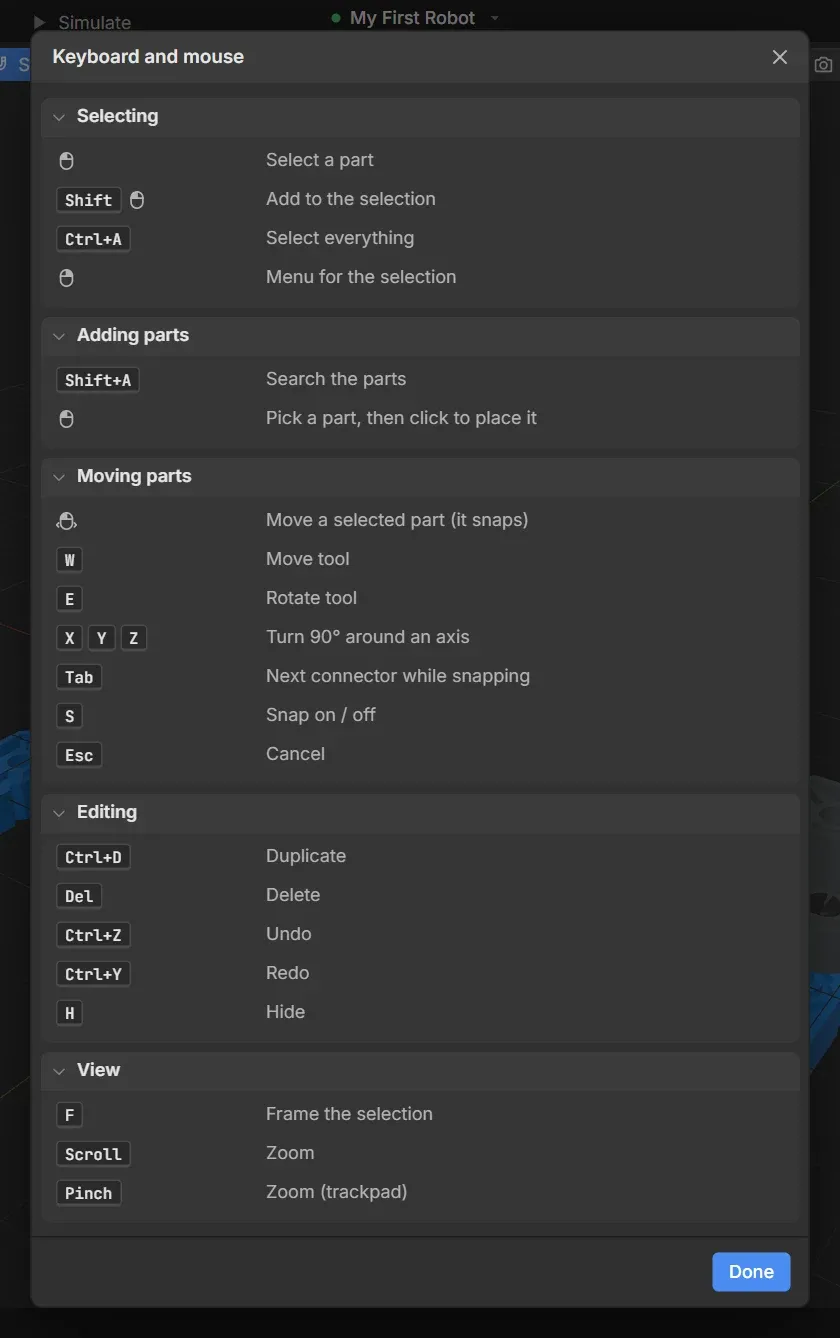
GearCAD’s status bar always shows the keys you can use right now. This page
has all of them in one place. In GearCAD, Help → Keyboard and mouse shows
the same list.
| Shortcut |
What it does |
| Click |
Select a part |
| Shift + click |
Add to the selection |
| Ctrl+A |
Select everything |
| Right-click |
Menu for the selection |
| Shortcut |
What it does |
| Shift+A |
Search the parts |
| Click a part, then click in the 3D view |
Place it |
| Tab |
Next connector while snapping |
| Shortcut |
What it does |
| Drag |
Move a selected part (it snaps) |
| W |
Move tool |
| E |
Rotate tool |
| X Y Z |
Turn 90° around an axis |
| S |
Snap on or off |
| Esc |
Cancel |
| Shortcut |
What it does |
| Ctrl+D |
Duplicate |
| Del |
Delete |
| Ctrl+Z |
Undo |
| Ctrl+Y |
Redo |
| H |
Hide |
| Shortcut |
What it does |
| F |
Frame the selection |
| Scroll |
Zoom |
| Pinch |
Zoom (trackpad) |
| Shortcut |
What it does |
| Ctrl+S |
Save a version |
| Ctrl+Shift+H |
Show or hide History |
| Esc |
Leave an old version you’re looking at |
| Shortcut |
What it does |
| Q / A |
Motor 1 forward / reverse (then W/S, E/D, R/F, T/G, Y/H) |
| Drag |
Push or turn a part |
| Esc |
Stop |
On a Mac, use Cmd where this page says Ctrl.